
Let's be blunt. N8N AI automation delivers spectacular results when your team knows JavaScript, your processes are properly mapped out, and you bother with error handling from the start. It crashes and burns when organisations expect magic without DevOps muscle - or worse, when they hope automation will somehow create order from operational chaos. Here's the uncomfortable statistic: roughly 97% of N8N workflows fail on their first production run. Not because the platform is rubbish. Because teams chronically underestimate what "production-ready" actually means.
In this guide, we'll cover:
- What N8N actually is (and why it's not Zapier)
- Five scenarios where N8N workflows deliver exceptional ROI
- Six failure patterns that derail N8N automation projects
- The true cost of self-hosted vs. cloud deployments
- Practical N8N automation tips for production success
What Is N8N and Why Does It Matter in 2026?
N8N is an open-source workflow automation platform built on fair-code principles. You connect applications, APIs, and AI models through visual workflows - drag, drop, configure. Unlike Zapier or Make, you get both cloud-hosted and self-hosted options. That distinction matters enormously. It shapes your costs, your control, and frankly, your headaches.
2026 Market Context: The global workflow automation market has reached €22 billion this year and is projected to hit €65 billion by 2031, growing at 23.68% annually. N8N captured a significant share of this growth, achieving 6x user growth and 10x revenue growth last year alone.
The company closed €165 million in Series C funding back in October 2025. Valuation? €2.3 billion. Annual recurring revenue sits around €37 million. NVIDIA's venture capital arm joined the round, which tells you something about where the smart money sees N8N fitting into AI infrastructure.
How N8N Differs from Zapier and Make
Pricing changes everything. Zapier charges per task - every action inside a workflow eats credits. Make bills per operation. N8N? Per execution. One workflow run equals one execution, regardless of whether it contains five steps or fifty.
Do the maths. A five-step workflow costs five tasks in Zapier. In N8N, it costs one execution. For high-volume, complex processes, this slashes costs by 60-80% compared to per-task competitors.
But there's a trap lurking here. This freedom from per-step charges practically begs you to build monolithic workflows with 50 or 100 nodes crammed together. Debugging those? Absolute nightmare. Testing them? Good luck. The economic incentive actively fights against engineering common sense.
When Does N8N AI Automation Work Exceptionally Well?
Real deployments tell us exactly where N8N shines. Five scenarios stand out.
1. High-Volume Technical Operations with Existing DevOps Teams
Vodafone's cybersecurity team built 33 N8N workflows. Results? They saved 5,000 person-days and dodged €2.6 million in costs while running continuous compliance monitoring. Monthly savings throughout 2025 hovered around €355,000. That's not pocket change.
Notice the pattern. Technical teams who think in code. Repeatable processes with clear triggers. Deterministic outcomes you can actually predict.
2. Complex Multi-Step API Orchestration
Stepstone operates over 200 mission-critical N8N workflows. They accelerated API data source integration by 25 times - what used to take days now takes about two hours of configuration.
When you need dozens of systems exchanging data through sophisticated conditional logic, N8N custom workflows genuinely excel. The Function nodes accept JavaScript or Python code. On closed platforms, you'd pay through the nose for that kind of flexibility.
3. Data Sovereignty and GDPR Compliance Requirements
European organisations face specific constraints. Data must stay within EU borders. Sometimes you need air-gapped deployments entirely. N8N's self-hosted architecture handles these requirements cleanly - something managed SaaS platforms cannot offer. We see this constantly with our financial services, healthcare, and government clients at Flexi IT.
4. AI Agent Orchestration and RAG Pipelines
This is where things get interesting. N8N handles coordination between multiple language models, vector databases, and knowledge bases remarkably well. Native LangChain support. Integration with every major LLM provider. The new Model Context Protocol (MCP) opens doors that weren't there six months ago.
2026 AI Trend: The agentic AI market stood at €11-14 billion last year and is projected to reach €75-90 billion by 2030. N8N's MCP integration allows workflows to expose themselves as tools available to external AI agents - positioning the platform at a critical junction in the emerging agentic infrastructure layer.
5. Organisations Already Running Kubernetes and PostgreSQL
Already managing container orchestration? Running PostgreSQL in production? Adding N8N becomes trivially simple. Marginal operational overhead. No vendor lock-in anxiety. The platform slots into existing DevOps setups as it belongs there.
When Does N8N Automation Fail? Six Patterns to Avoid
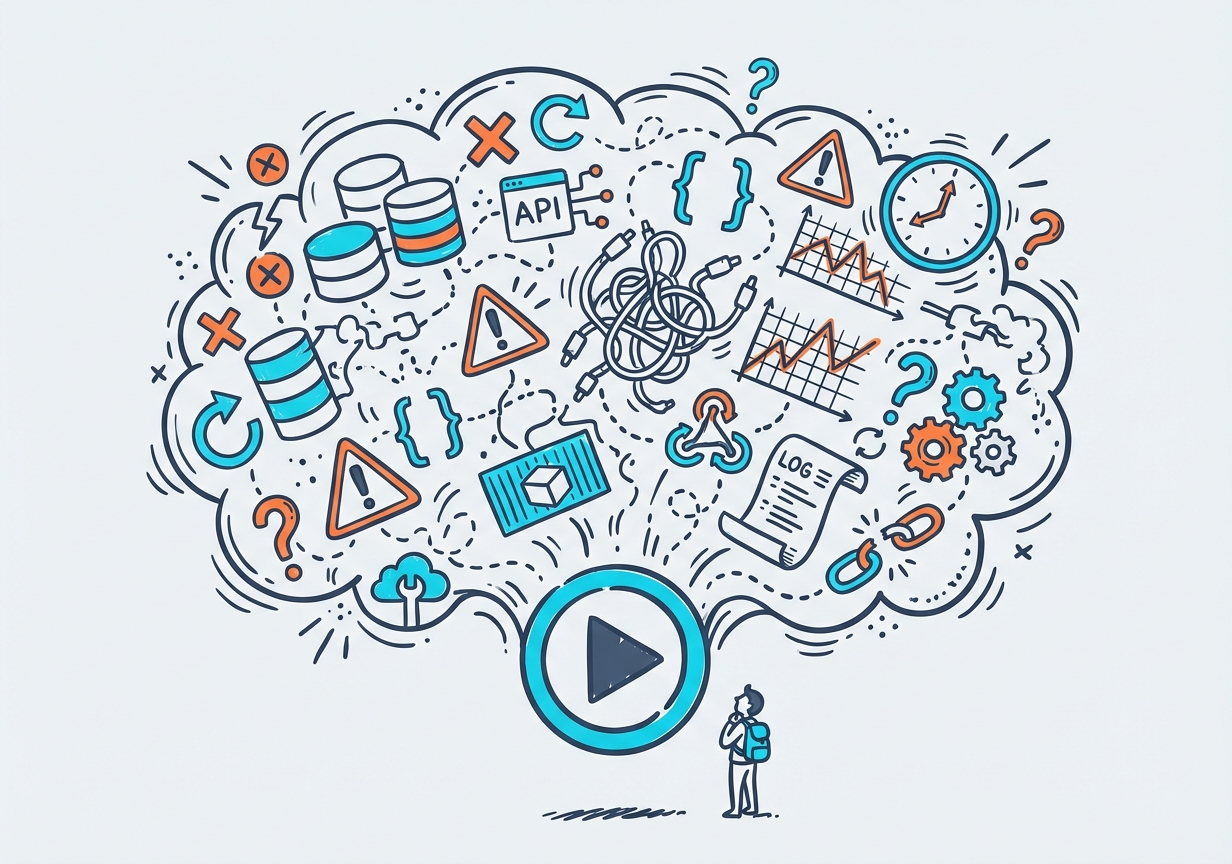
Here's what nobody wants to hear: approximately 97% of N8N workflows fail when they first hit production. The platform works fine. People don't. They skip the boring bits that actually matter.
Failure Pattern 1: Missing Error Handling and Observability
Teams build workflows in development. Everything runs smoothly. Wonderful. Then they push to production without error workflows, without logging, without monitoring dashboards. First time an API hiccups or a third-party service goes down for maintenance? The workflow dies silently. Or worse - it gets stuck in some half-finished state requiring manual intervention.
The community forums are stuffed with complaints: "My workflow got stuck and didn't work until I stopped and started it manually." That's not a bug. That's missing error handling. Full stop.
Failure Pattern 2: Unmanaged External Dependencies
Your workflow calls third-party APIs. Connects to databases. Sends emails through external services. What happens when one of those dependencies has a bad day? Without fallback mechanisms or graceful degradation, a single failure cascades through everything.
Practitioners running high-volume N8N workflows report that this category accounts for 60-70% of production incidents. The fix isn't complicated. It just requires thinking about failure modes before they happen.
Failure Pattern 3: Data Volume Scaling Problems
CSV processing looks easy. Large dataset handling seems straightforward. Until your workflow unexpectedly crashes. Data processing nodes copy data into memory. Process enough records, and you exhaust available RAM.
Here's a concrete example. The PostgreSQL node takes roughly 4 seconds to insert 1,000 records. A Code node running raw SQL does the same job in 500 milliseconds. Eight times faster. The default node implementations weren't built for bulk operations.
Failure Pattern 4: Monolithic Workflow Architecture
No per-step charges means no financial penalty for cramming dozens of nodes into one sprawling workflow. The result? Impossible to debug. Terrifying to modify. Testing becomes an act of faith rather than engineering.
The solution exists: sub-workflows. N8N's sub-workflow functionality lets you build modular, microservice-style architectures. Better still, sub-workflow executions don't count against your monthly limits. Composition beats monoliths every time.
Failure Pattern 5: Skipping Staging Environments
Organisations push workflows straight to production. No staging environment. No monitoring configuration. No documentation. No rollback plan. When something breaks - and something always breaks - they're flying blind.
N8N version 2.0 introduced Publish/Save separation. Saving edits no longer automatically pushes changes live. Helpful? Yes. Sufficient? Absolutely not. Proper deployment discipline remains your responsibility.
Failure Pattern 6: Underestimating the Learning Curve
"Developer-friendly" appears in the marketing. Production-grade workflows demand proficiency with REST APIs, JSON structures, JavaScript expressions, error-handling patterns, and infrastructure management. That's not developer-friendly. That's developer-required.
Non-technical users hit walls fast. "I've been trying for three days and haven't created one working automation." Without JavaScript experience, even OAuth credential configuration becomes a multi-day frustration.
The True Cost of N8N: Self-Hosted vs. Cloud
"Free self-hosted Community Edition" sounds brilliant. The software licence is indeed free. Everything else costs money.
Self-Hosted Deployment Costs
| Cost Category | Monthly Estimate (€) |
|---|---|
| Infrastructure (compute, storage, database) | 200-300 |
| DevOps engineer time (Western Europe) | 4,500-5,500 |
| Business Plan support (optional) | ~750 |
| Total Self-Hosted | 5,000-6,500+ |
The official documentation states it plainly: "Self-hosting n8n requires technical knowledge... n8n recommends self-hosting for expert users. Mistakes can lead to data loss, security issues, and downtime." They're not being modest. They're being honest.
Cloud Deployment Comparison
Take an organisation running 50,000 workflow executions monthly:
- Zapier: ~€600-800/month (per-task pricing)
- N8N Cloud: ~€110/month (execution-based pricing)
- N8N Self-Hosted: €5,000+/month (when fully costed)
That "free" software licence evaporates once you factor in DevOps overhead. For organisations without existing infrastructure investments, N8N Cloud or hybrid approaches almost always prove cheaper than self-hosting. We've run these numbers with clients repeatedly. The maths doesn't lie.
When Self-Hosting Makes Sense
Self-hosting genuinely pays off when:
- You already operate Kubernetes clusters and PostgreSQL databases
- Data sovereignty requirements mandate on-premises deployment
- Your DevOps team has spare capacity
- You need customisations impossible on managed platforms
N8N Automation Tips for Production Success
We've implemented N8N workflows for European clients across sectors. Here's what separates the survivors from the casualties.
Implement Error Handling from Day One
Every single workflow needs an Error Trigger node. Capture failures. Route them to whatever alerting system your team actually monitors - Slack, email, PagerDuty, carrier pigeon. Don't wait for production disasters to teach you this lesson the hard way.
Use Sub-Workflows for Modularity
Complex processes belong in reusable sub-workflows. Testability improves. Parallel development becomes possible. Debugging stops being archaeology. The Execute Sub-workflow Trigger node handles flexible input definitions - individual fields, JSON examples, or just accepting whatever data arrives.
Implement Webhook Validation
Webhook-triggered workflows sit exposed to the internet. Malicious requests happen. Validate incoming payloads. Implement authentication. Add rate limiting. The security vulnerabilities disclosed in early 2026 make this advice uncomfortably timely.
Configure Retry Logic for API Calls
APIs fail. Temporarily, usually. Network timeouts strike without warning. Rate limits get exceeded during traffic spikes. Configure retry mechanisms with exponential backoff for every external API call. This single practice prevents most production failures. Not some. Most.
Use N8N's Built-in Evaluation for AI Workflows
The Evaluation node measures LLM output quality across test datasets. Use it. Catch performance regressions before deployment rather than after angry users report them. AI workflow development transforms guesswork into something that resembles actual engineering.
Leverage Data Tables for State Management
Version 1.113 introduced Data Tables - store and query structured data directly within N8N. Maintain state between executions. Keep reference data handy. Track execution metrics. All without spinning up external database connections. For simpler use cases, this feature alone can eliminate significant architectural complexity.
N8N Integrations: What Connects to What
The platform offers 500+ integrations. The community and core team maintain them jointly. Here's the landscape:
- CRM systems: Salesforce, HubSpot, Pipedrive
- Communication tools: Slack, Microsoft Teams, Discord
- Databases: PostgreSQL, MySQL, MongoDB, Redis
- AI providers: OpenAI, Anthropic, Google AI, local LLMs via Ollama
- Cloud platforms: AWS, Google Cloud, Azure
- E-commerce: Shopify, WooCommerce, Stripe
- Custom APIs: Any REST or GraphQL endpoint via HTTP Request nodes
Looking for N8N automation examples? The community maintains over 4,000 starter templates. Lead enrichment, invoice processing, AI chatbot backends - pick your starting point and adapt from there.
How We Approach N8N Projects at Flexi IT
Clients come to us asking about N8N AI automation. We start with awkward questions. Do you have someone who can maintain this in the long term? Are your processes genuinely well-defined, or are you hoping automation will magically impose structure on chaos? Do you actually need self-hosting, or is that a solution wandering around looking for a problem?
We've watched organisations burn months building elaborate N8N workflows for processes that weren't ready for automation. The platform wasn't the bottleneck. Process clarity was. It always is.
For clients who pass the readiness test, our recommendations stay consistent:
- Starting with N8N Cloud to prove value before investing in self-hosted infrastructure
- Building modular architectures from the beginning
- Implementing comprehensive error handling and monitoring before go-live
- Documenting everything - future you will thank present you
Key Terms
| Term | Definition |
|---|---|
| Workflow Execution | A single run of an N8N workflow, regardless of how many nodes it contains. This is N8N's billing unit. |
| Sub-workflow | A modular, reusable workflow called by a parent workflow. Sub-workflow executions don't count toward execution limits. |
| Function Node | An N8N node that executes custom JavaScript or Python code, enabling logic beyond pre-built nodes. |
| MCP (Model Context Protocol) | A standardised protocol for AI agents to communicate with tools and external systems. N8N supports MCP for agent interoperability. |
| RAG Pipeline | Retrieval-Augmented Generation - an AI architecture that combines document retrieval with language model generation for grounded responses. |
Summary: When to Use N8N and When to Walk Away
- N8N works when you have JavaScript-competent teams, well-defined processes, and commitment to proper error handling and monitoring.
- N8N fails when organisations expect plug-and-play solutions, lack DevOps capability, or skip staging environments and testing.
- 97% of workflows fail on first production deployment - not due to platform limitations, but inadequate error handling, webhook security, and retry logic.
- Self-hosting isn't free - factor in DevOps time (€4,500-5,500/month in Western Europe) before assuming cost savings.
- N8N Cloud often proves more economical for organisations without existing Kubernetes/PostgreSQL infrastructure.
- AI agent orchestration is N8N's emerging strength - MCP integration positions it well for the agentic AI wave.
- Start with process clarity - automation amplifies whatever you feed it, including chaos.
Evaluating N8N AI automation for your organisation? Want an honest assessment rather than a sales pitch? Talk to our team. We'll tell you whether N8N fits your situation. And if it doesn't, we'll say that too.


